
Reviewed · CENTRAL PARK TOURS
An Epic Scavenger Hunt: New York City Central Park Adventure
Central Park turns into a game. This app-led scavenger hunt strings together major sights into a do-it-your-way walk with on-the-ground questions and photo tasks, all in about 1.5 to 2 hours. You can start when you want, and the app nudges you stop to stop, so it feels like sightseeing with built-in direction rather than wandering.
What I like most is the mix of recognizable park landmarks and the way you’re prompted to look closely at the details around you. I also like the interactive element: each person gets their own role and you’ll work through texted photo challenges and points, which keeps groups talking and moving instead of splitting up or drifting.
One real consideration: this is only as good as your phone and the app experience. Make sure your device is ready, because there’s no guide standing there to fix tech issues or help you find the start if you get turned around.
In This Review
- Key things to know before you go
- A Central Park hunt you control: 1.5 to 2 hours with a game plan
- Price and value for $14.99: what’s included and what you’ll cover
- Getting to 72 E 72nd St: how to avoid the most common mishap
- How the Let’s Roam app runs the hunt stop by stop
- Your Central Park route: what each stop is likely to feel like
- Stop 1: Swedish Cottage Marionette Theatre
- Stop 2: Alice in Wonderland Statue
- Stop 3: The Dakota
- Stop 4: Belvedere Castle
- Stop 5: Bethesda Fountain
- Stop 6: Strawberry Fields
- Stop 7: Balto Statue
- Stop 8: Central Park (the wrap-up)
- Photo challenges with points: how to win without ruining the walk
- Comfort, weather, and walking level: what you should plan for
- Who should book this Central Park adventure
- When the plan breaks: what to do about app trouble
- Should you book this Central Park adventure?
- FAQ
- Is this tour self-guided or does it include a guide?
- How long does the scavenger hunt take?
- Where is the meeting point and where does it end?
- What do I need to download or use for the hunt?
- Are entrance tickets included for attractions along the route?
- Do I need a fully charged phone?
- What’s the price and what’s included?
- Can I get a refund if my plans change?
Key things to know before you go
- Start anytime, self-guided within the activity window, with no tour guide needed
- Eight park stops that keep you moving across Central Park’s signature sights
- Photo challenges with points turn your group into an on-the-fly team
- The app is essential; you’ll need a working smartphone and likely a power bank
- No admission tickets included if you want to enter any indoor spots
- Private for your group so you’re not sharing the hunt with strangers
More ways to see Central Park
- Central Park Pedicab Guided Tours
★ 5.0 · 7,108 reviews - Private Central Park Pedicab Tour
★ 5.0 · 6,981 reviews - NYC: Central Park Bike Rentals
★ 4.2 · 2,528 reviews - Official NYC Horse Carriage Rides in Central Park since 1979 ™
★ 5.0 · 2,365 reviews
A Central Park hunt you control: 1.5 to 2 hours with a game plan

This Central Park adventure is designed to feel flexible while still giving you structure. The hunt runs about 1 hour 30 minutes to 2 hours, depending on how fast your group walks and how long you take for photos at each stop.
Instead of following a tight script, you get to set the pace. You can take breaks, slow down when you want a better angle, and re-group when someone is still reading the plaque or statue details. That matters because Central Park is big, and even a short walk can feel long if you’re doing it without a plan.
The format also works well for mixed-energy groups. If you’ve got one person who wants photos right away and another who likes reading everything, you can both take your time and still finish within the window.
Price and value for $14.99: what’s included and what you’ll cover

At $14.99 per person, the best value here is the way the hunt turns an expensive, effort-heavy park day into a targeted activity. You’re not paying for a traditional guided tour with admission bundled in. You’re paying for Let’s Roam app access that guides you to the stops and prompts the tasks.
That said, it’s not a full package. Parking and parking fees are not included, and admission tickets to entrances are not included either. Food and beverages aren’t included, and you’ll be responsible for transportation and personal expenses.
So the true budgeting question is simple: are you planning to spend money on entrances and treats? If your plan is mostly outdoors and you bring snacks or decide to grab food nearby on your own, the $14.99 can feel like a clever buy. If you’re expecting it to replace paid entry fees, you’ll need to plan separately.
Getting to 72 E 72nd St: how to avoid the most common mishap
The start point is 72 E 72nd St, New York, NY 10021. Since this is app-led and self-guided, you don’t have a staff member waiting to walk you in.
One friction point I’d take seriously is the risk of simply not finding the start and missing the hunt. If you show up late or rely on memory instead of maps, it can turn into a frustrating start with no easy rescue.
Here’s what you can do to protect your time:
- Arrive a bit early and confirm the exact address on your map app.
- Keep your confirmation details handy in case the app needs them.
- Take a quick look around when you arrive so you’re not figuring it out while the hunt is already underway.
Also note the timing window: the activity lists opening hours from 8:00 AM to 5:00 PM (Monday through Sunday). If you plan for an afternoon start, don’t cut it too close. More time up front means fewer stress minutes later.
The big picture: more New York City sightseeing




How the Let’s Roam app runs the hunt stop by stop
This isn’t a guided walking tour. It’s app-led, and the app is the engine. After purchasing on the website, you’ll download the Let’s Roam app from the App Store or Google Play. Then you’ll register, redeem your tickets in the app, and the app will guide you through the challenges.
The hunt works like this:
- You can start at any time you wish, since it’s self-guided.
- The app directs you to each stop and the tasks you need to complete.
- You’ll answer questions that can only be found in person, using what you see on plaques, statues, art, and other park features.
- You’ll also get photo challenges and fun activities to do with your group.
- You earn points for the best photos.
Two practical tips make a big difference:
- Fully charge your smartphone. You’re using it for navigation and interaction.
- Bring a power bank if you think your battery runs low on walking days.
If your phone dies halfway through, you can’t finish the prompts, and you may lose your way between stops.
Your Central Park route: what each stop is likely to feel like
The hunt connects eight stops across Central Park, from the Swedish Cottage area to the Balto statue and back through the park finish. The biggest value of the stop sequence is that it keeps your group from doing the same type of sight over and over. You get variety: structures, statues, and famous landmarks spaced out into an easy-to-follow walking mission.
A quick note before you go: the hunt is built around finding answers in the surroundings. So don’t treat each stop like a quick photo moment. Expect to look for clues and information nearby, often on plaques or in the visual details around the landmark.
Stop 1: Swedish Cottage Marionette Theatre
This is your first landing spot, and it’s a strong opener because it gives you something recognizable and easy to orient to. Expect the app to start with a straightforward task, likely tied to observing details in the area and snapping a photo that matches a prompt.
The drawback here is practical: the first stop is where you’re most likely to be figuring out navigation. If your app setup isn’t smooth yet, this could feel slow at the beginning. Take 2 minutes before you start to make sure everything is working.
Stop 2: Alice in Wonderland Statue
After a first stop, the hunt pushes you into the park’s more playful side with the Alice in Wonderland Statue. This is where the photo challenges typically start to feel more game-like, since the prompts often reward angles, framing, and creativity.
If you’re walking with kids, this is one of the more fun-feeling areas on the list by name alone. For adults, it’s also a good checkpoint for group energy: everyone can get involved fast here.
Stop 3: The Dakota
Next comes The Dakota. Expect your job at this stop to be mostly about reading what’s around you and answering the hunt’s question prompts based on what you can see and locate in-person.
The potential downside is timing. Central Park sights can have crowds, and if you need to pause to read or photograph, it can take longer than you expect. If your group gets impatient, set a quick rule: one person reads the clue while the others find the best photo spot.
Stop 4: Belvedere Castle
Belvedere Castle is a classic “stop and look up” moment, and it fits the hunt’s style because it gives you a clear focal point to work from. The app will likely guide you toward what to notice here, and you’ll probably get a task that rewards close observation rather than just passing by.
If you’re planning to enter any areas, remember admission tickets are not included, so you may need to decide on the spot whether to pay separately or keep it strictly outside for the hunt.
Stop 5: Bethesda Fountain
The Bethesda Fountain stop tends to work well as a mid-hunt reset. By now you’ve got your rhythm, and the prompts feel more like a flowing checklist than a complicated scavenger setup.
This is also a good place to slow down and manage group pacing. If someone is lagging, you’ll still have other stops ahead, but you’ll want your navigation and device batteries under control by now.
Stop 6: Strawberry Fields
Strawberry Fields is another landmark-style stop, which means it’s easy for groups to regroup and compare notes. It’s also a good spot for photo challenges, since you can usually find a few different ways to frame a recognizable scene.
Because this is a popular area in Central Park, you might want to be gentle with your time here. Take the photo, complete the prompt, and then move on instead of getting stuck in one spot for too long.
Stop 7: Balto Statue
The Balto Statue is a great penultimate stop because it feels like the “last big visual” before you wrap up. Expect the app to ask you to find a specific answer connected to what you can see in the immediate area.
This is where I’d encourage your group to shift into finishing mode: keep moving, share battery status, and make sure everyone has completed their tasks so you’re not scrambling near the end.
Stop 8: Central Park (the wrap-up)
The final stop is listed as Central Park, which makes sense because the hunt isn’t just about one single point. It’s about finishing your set of tasks across the park and returning to where you started.
Your activity ends back at the meeting point (72 E 72nd St). So plan for a closing stretch where you’ll likely walk back with the app still guiding you, even if the landmark prompting feels more general here.
Photo challenges with points: how to win without ruining the walk
This hunt adds a competitive layer through photo tasks and scoring. You’ll receive texted photo challenges and fun activities, and each person has an interactive role.
The best way to enjoy this is to treat photos like checkpoints. Instead of taking random pictures while the app is telling you what to do, aim for photos that match the prompt. That makes the activity feel cohesive and keeps your group from taking detours.
A few practical habits help:
- Assign roles: one person reads prompts, one scouts photo angles, one watches the group.
- Keep your phone brightness reasonable so your battery lasts.
- Don’t overthink perfection. The app is timing your progress; quick, prompt-focused photos usually work best.
If you have a friend who loves photography, let them drive. If you have someone who hates photo games, give them an easy role like finding answers and completing the on-screen tasks.
Comfort, weather, and walking level: what you should plan for
You’ll want comfortable walking shoes. The hunt covers multiple points across Central Park, and even at a relaxed pace, it’s a solid walking day squeezed into 1.5 to 2 hours.
You also need a weather plan. The instructions suggest checking the forecast and dressing appropriately. If it’s wet, consider water-resistant footwear or bring a small towel. If it’s hot, plan for hydration since food and beverages aren’t included.
The activity asks for moderate physical fitness. That’s not an “athletic only” warning, but it does mean you should be comfortable walking steadily for the full route.
Who should book this Central Park adventure
I’d target this experience for groups who want a shared activity without the structure of a traditional tour. It’s described as ideal for groups of coworkers and family members who want a private experience where you can start and go at your pace.
It also works for people who like problem-solving and light competition. If your group enjoys trivia-style looking and enjoys photo challenges, you’ll likely have a great time.
A few “fit” notes based on what’s provided:
- No minimum age required, so families can consider it.
- Service animals allowed.
- It’s private, meaning only your group participates.
If your group’s main goal is museum-style guided storytelling, this may feel more like a walk-and-find game than a deep explanation. But if you want a lively way to see iconic park stops, it’s a good match.
When the plan breaks: what to do about app trouble
Two themes show up in real-world friction: difficulty finding the start and an app experience that can be frustrating. The start-point issue is solvable with better prep. The app issue is more about readiness than luck.
Here’s how to reduce your odds of trouble:
- Download and log in before you go. Don’t wait until you’re standing at the sidewalk.
- Make sure you understand how your ticket is redeemed in the app.
- Confirm the hunt prompts load when you open the app at the start.
- Keep your smartphone charged, and bring a power bank if needed.
If something still goes wrong, the guidance provided is to contact customer service. Because this is self-guided, don’t assume someone will be physically waiting there to sort it out.
Should you book this Central Park adventure?
Book it if you want a flexible, private Central Park experience that turns famous sights into a shared game. At $14.99, it’s good value when you’re happy to supply your own transport, snacks, and any entrance fees, and when your group is comfortable using a phone for navigation and prompts.
Skip it if your group hates app-based activities, has shaky smartphone battery habits, or you suspect you’ll struggle to find the start location on your first attempt. In that case, the experience can feel like it depends too much on tech and timing.
If you’re device-ready and you like playful exploration, this is a smart way to spend a chunk of time in Central Park that feels more active than a casual stroll.
FAQ
Is this tour self-guided or does it include a guide?
It’s self-guided and app-led. You can start at any time you wish, and you won’t need a tour guide or reservation.
How long does the scavenger hunt take?
The hunt duration is about 1.5 to 2 hours.
Where is the meeting point and where does it end?
You start at 72 E 72nd St, New York, NY 10021, USA. The activity ends back at the meeting point.
What do I need to download or use for the hunt?
You’ll need to download the Let’s Roam app from the App Store or Play Store, register, and redeem your tickets there to get started.
Are entrance tickets included for attractions along the route?
No. Admission tickets to entrances are not included.
Do I need a fully charged phone?
Yes. The instructions recommend making sure your smartphone is fully charged because you’ll use it to navigate and interact with the app. A power bank is recommended if you need one.
What’s the price and what’s included?
The price is $14.99 per person. What’s included is access to the Let’s Roam app.
Can I get a refund if my plans change?
Yes. Cancellation is free up to 24 hours in advance for a full refund. If you cancel less than 24 hours before the experience’s start time, you won’t be refunded.
All of New York City in One Day
- New York City: Statue of Liberty & Ellis Island with Ferry★ 4.6 · 18,683 reviews
- New York City: American Museum of Natural History Ticket★ 4.5 · 15,447 reviews
- New York City: Manhattan Helicopter Tour★ 4.7 · 7,076 reviews
- Top of the Rock Observation Deck New York City Ticket★ 4.5 · 4,556 reviews
- From New York City: Washington and Philadelphia 1-Day Tour★ 4.5 · 2,877 reviews
More Tour Reviews in New York City
- NYC: SUMMIT One Vanderbilt Tickets★ 4.7 · 51,195 reviews
- NYC: Empire State Building Tickets – Observatory & Museum★ 4.7 · 25,757 reviews
- New York City: Statue of Liberty & Ellis Island with Ferry★ 4.6 · 18,683 reviews
- New York City: American Museum of Natural History Ticket★ 4.5 · 15,447 reviews
- Statue of Liberty and Ellis Island Tour: All Options★ 5.0 · 13,571 reviews
More of Central Park
- Central Park Pedicab Guided Tours★ 5.0 · 7,108 reviews
- Private Central Park Pedicab Tour★ 5.0 · 6,981 reviews
- NYC: Central Park Bike Rentals★ 4.2 · 2,528 reviews
- Official NYC Horse Carriage Rides in Central Park since 1979 ™★ 5.0 · 2,365 reviews
- NYC: Central Park Bike Rental★ 4.1 · 1,651 reviews
Just in: the newest New York City reviews on our desk





Central Park Tours, compared.
 ★ 5.0Central Park Pedicab Guided ToursFrom $387,108 reviews
 ★ 5.0Private Central Park Pedicab TourFrom $386,981 reviews
 ★ 4.2Central Park Bike RentalsFrom $92,528 reviews
 ★ 5.0Official NYC Horse Carriage Rides in Central Park since 1979 ™From $992,365 reviews
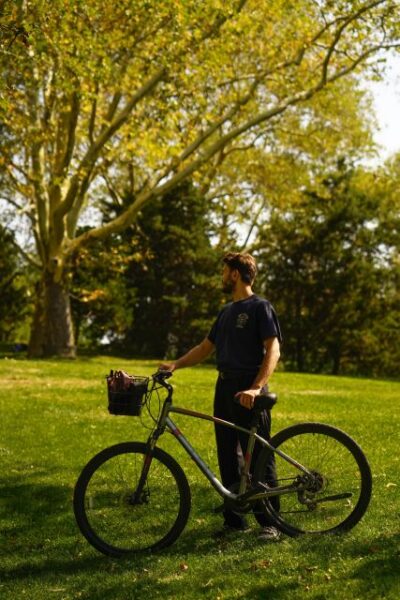 ★ 4.1Central Park Bike RentalFrom $81,651 reviews
 ★ 4.9Private Central Park Pedicab TourFrom $401,637 reviews
 ★ 4.7Central Park Bike RentalFrom $91,509 reviews
 ★ 4.0Carriage Ride in Central Park (VIP – PRIVATE) Since 1964™From $141,074 reviews
Browse the lists this tour appears in